shipped · ~150 lines, runs forever
Snap
- Built for:
- Windows users who hit Win+Shift+S a hundred times a day and would rather decide where each snip lands than collect 4,712 of them in a screenshots folder.
- Not built for:
- Cross-platform anything. Snap leans hard on Windows’ clipboard format and the screenshot snipping that ships with it.
Win+Shift+S takes a screenshot and copies it to the clipboard. That’s where Windows leaves it — to be pasted, forgotten, or accidentally overwritten by the next copy. Snap watches that clipboard, and when an image lands, it asks: keep it, rename it, or throw it away. One small piece of friction with one big downstream effect.
The problem
Windows’ built-in screenshot tool is fast and almost-correct: it copies the snip to the clipboard but it doesn’t save it, and the moment you copy anything else the snip is gone. The Snipping Tool app exists, but it’s a heavy interruption for what should be a 200-millisecond decision.
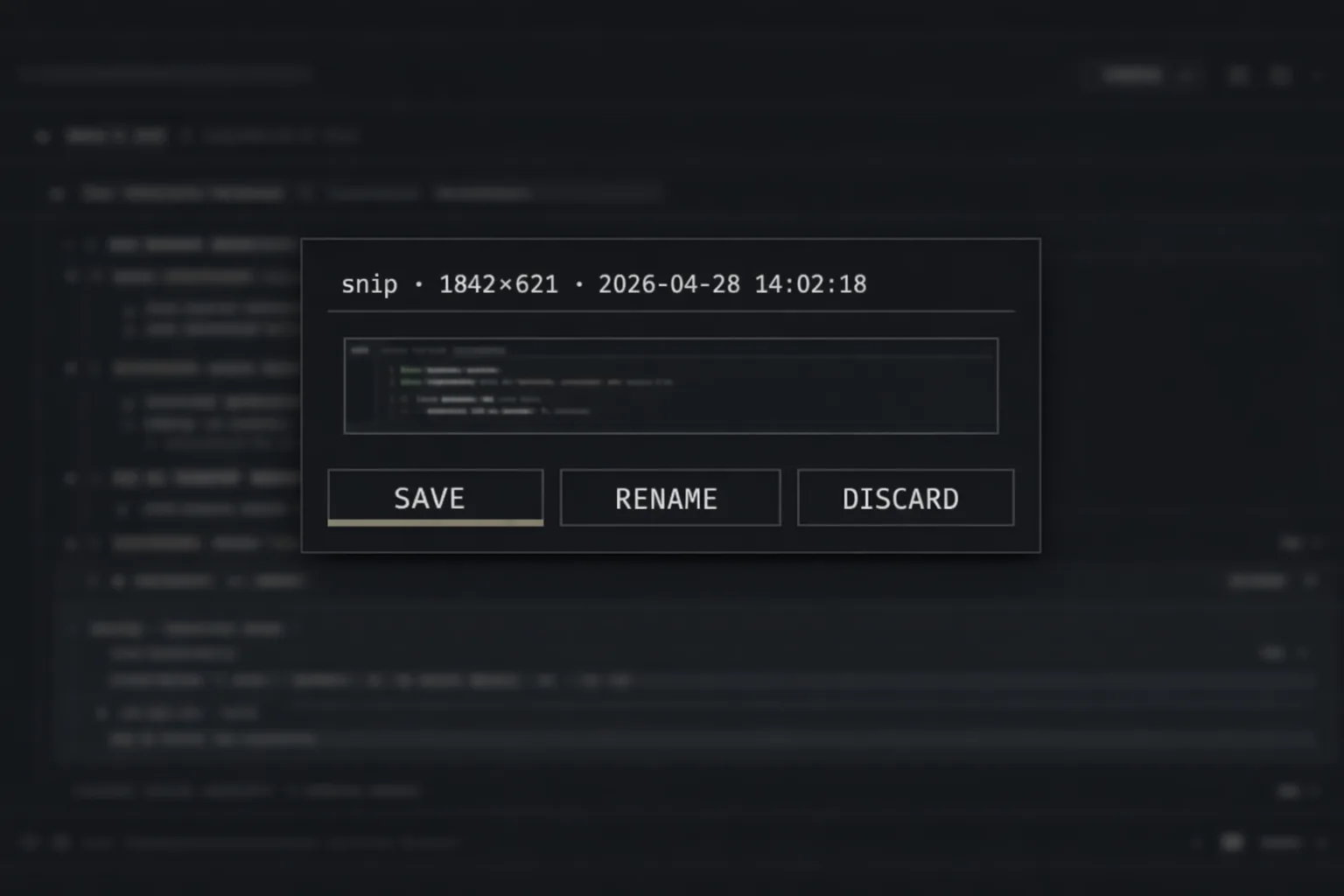
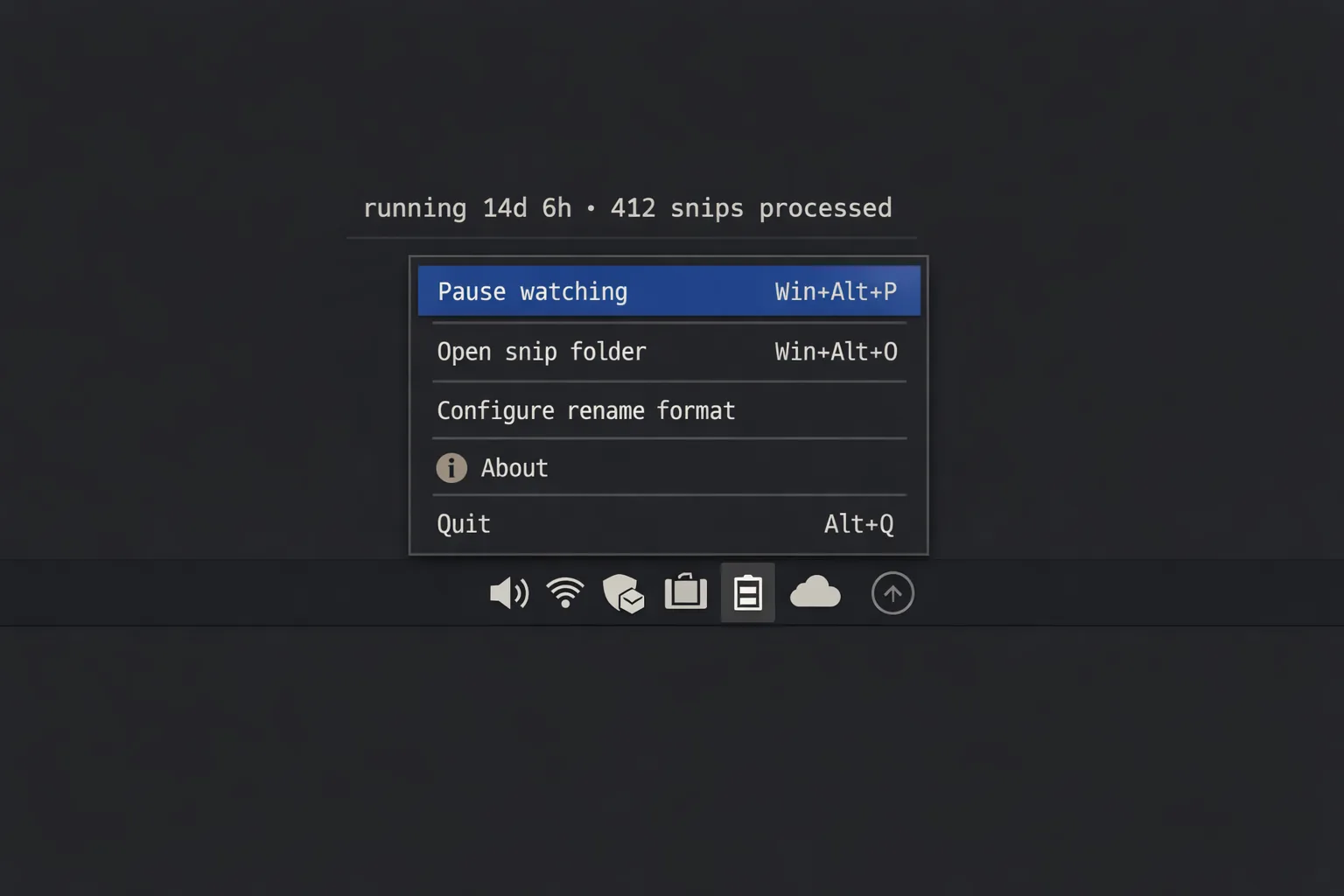
Snap is the missing 200-millisecond decision. It runs in the tray, watches the clipboard, and on a new screenshot pops a tiny three-button chooser at the cursor: save to the screenshots folder, rename before saving, or discard. That’s it. No window, no settings, no library.
Decisions
kept
Three buttons, exactly. Save, Rename, Discard. The rename flow opens an inline text field; the save flow drops to a default name; the discard flow drains the clipboard so the image is gone. Anything beyond three buttons would be a settings panel pretending it isn’t one.
kept
Tkinter for the chooser, not PyQt. Tkinter ships with Python; the chooser is one window with three buttons; pulling in PyQt for that would be the wrong shape. Tkinter looks dated and the chooser closes in 200 ms; nobody sees the dating.
refused
Cloud upload, OCR, AI tagging, “just one more thing.” The shape of the tool is the shape of the problem; everything else is a different tool that can be a different tool.
System
| Layer | Implementation | Purpose |
|---|---|---|
| Daemon | Python 3.13 + win32clipboard | Polls clipboard sequence number ~10 Hz |
| Detect | CF_DIB image format | Identifies a fresh screenshot vs. text/file |
| Chooser | Tkinter mini-window | 3 buttons · rename inline · auto-close |
| Save | Pillow PNG writer | Default name · or rename-then-save |
| Tray | pystray | Single icon, right-click to quit |
Acknowledgments
Snap stands on Pillow, pywin32, pystray, Tkinter as a Python-stdlib citizen, and the principle that the right tool for a 200-millisecond decision is roughly 200 lines of Python.
← Index